Grow & collect
From $29 a monthMoving to Team Scout
Why Team Scout

For homeschool co-ops
Your co-op's classes and fees, in one place.
Families sign up for classes and pay online, by card or bank, on a payment plan if they need one. You see who is in each class, who has paid and which parents are serving when.
What running a co-op takes
Most co-ops collect several fees from each family, keep a schedule for every parent and register students class by class.
Class registration and fees
A registration fee per family each semester, then class fees, supply fees and often a website fee. Each class has a set number of seats, and parents want to see the full cost before they pay.
Fees, service hours and classes, together
Families pay the registration fee, sign up for service hours and register for classes, and you see all of it side by side.
Payment plans, fundraising and scholarships
Room for every family.
A payment plan first, a fundraiser next, and a scholarship for the family who needs one.
Volunteer sign-ups
It takes a lot of parents to run a co-op: teaching, assisting, lunch duty and clean‑up. Parents sign up for the jobs, you track the hours, and some families buy out their hours instead.
Calendar and scheduling
Class days, breaks, field trips and events, on one calendar families see on their phones.
Communication groups
A group for each class and one for the whole co-op, so news reaches the families it is for.
What Team Scout does for your co-op
Registration, payments, the calendar and parent sign-ups live in one app every family can use.
Families choose their day and classes
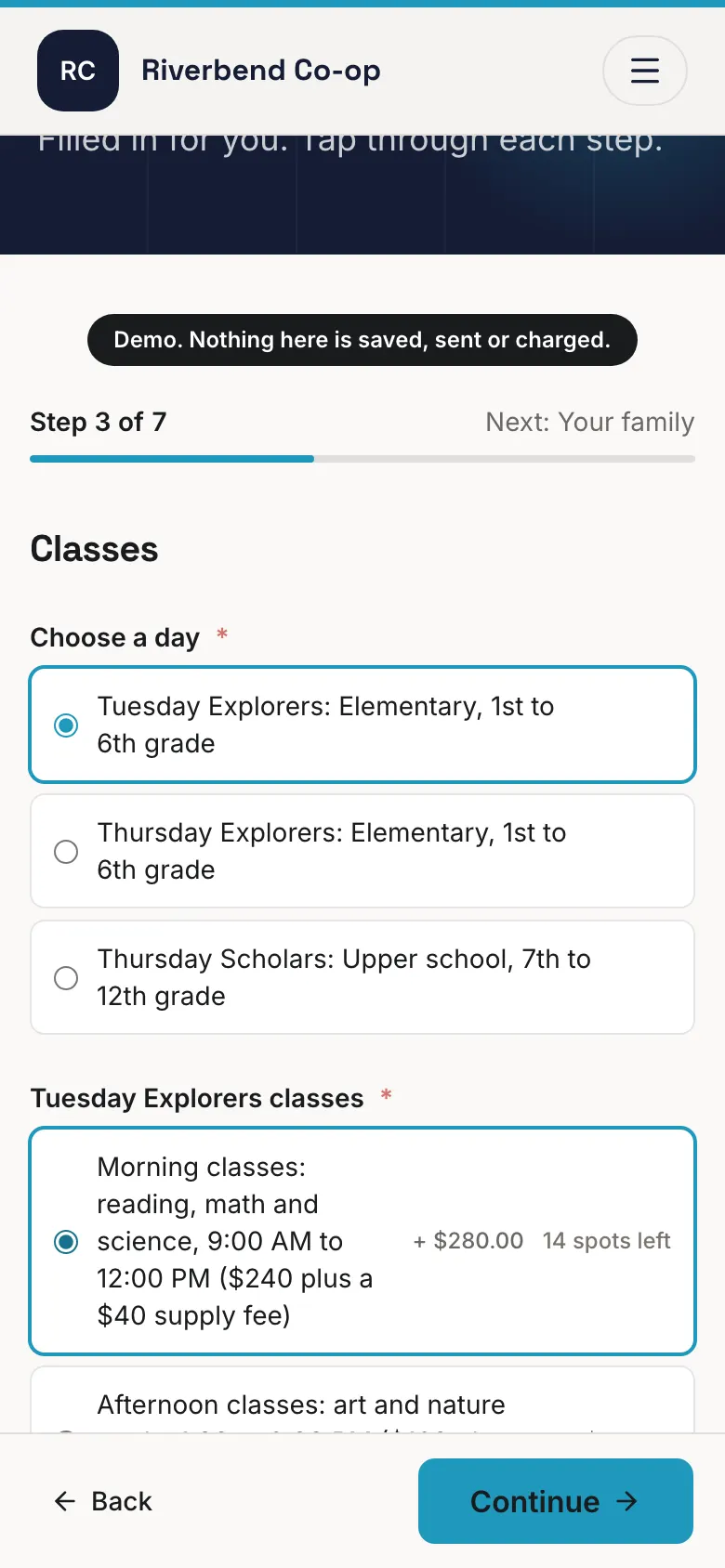
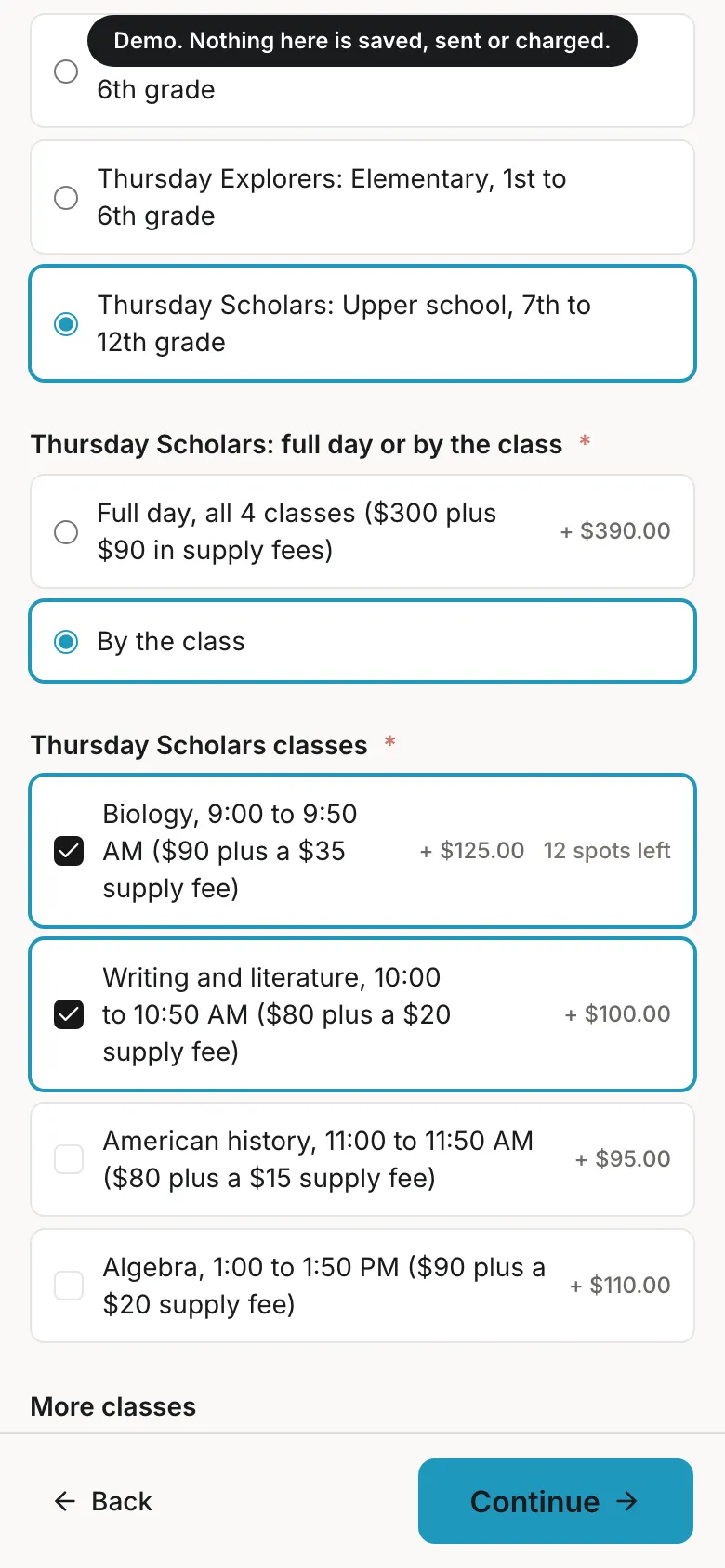
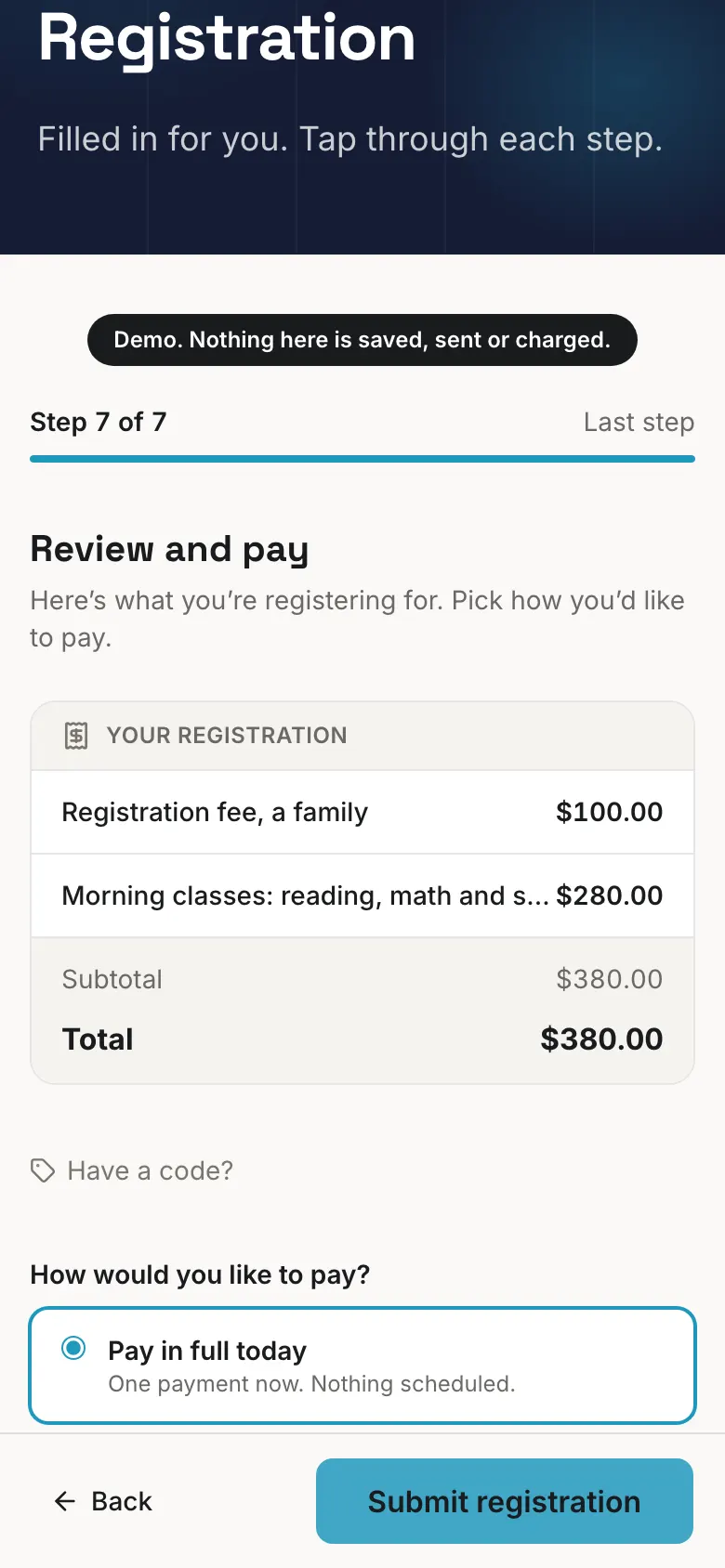
Each class has its own price and its own number of seats. The form adds up the total as a parent chooses, and a class that is full stops taking sign-ups.
Payments on the dates you set
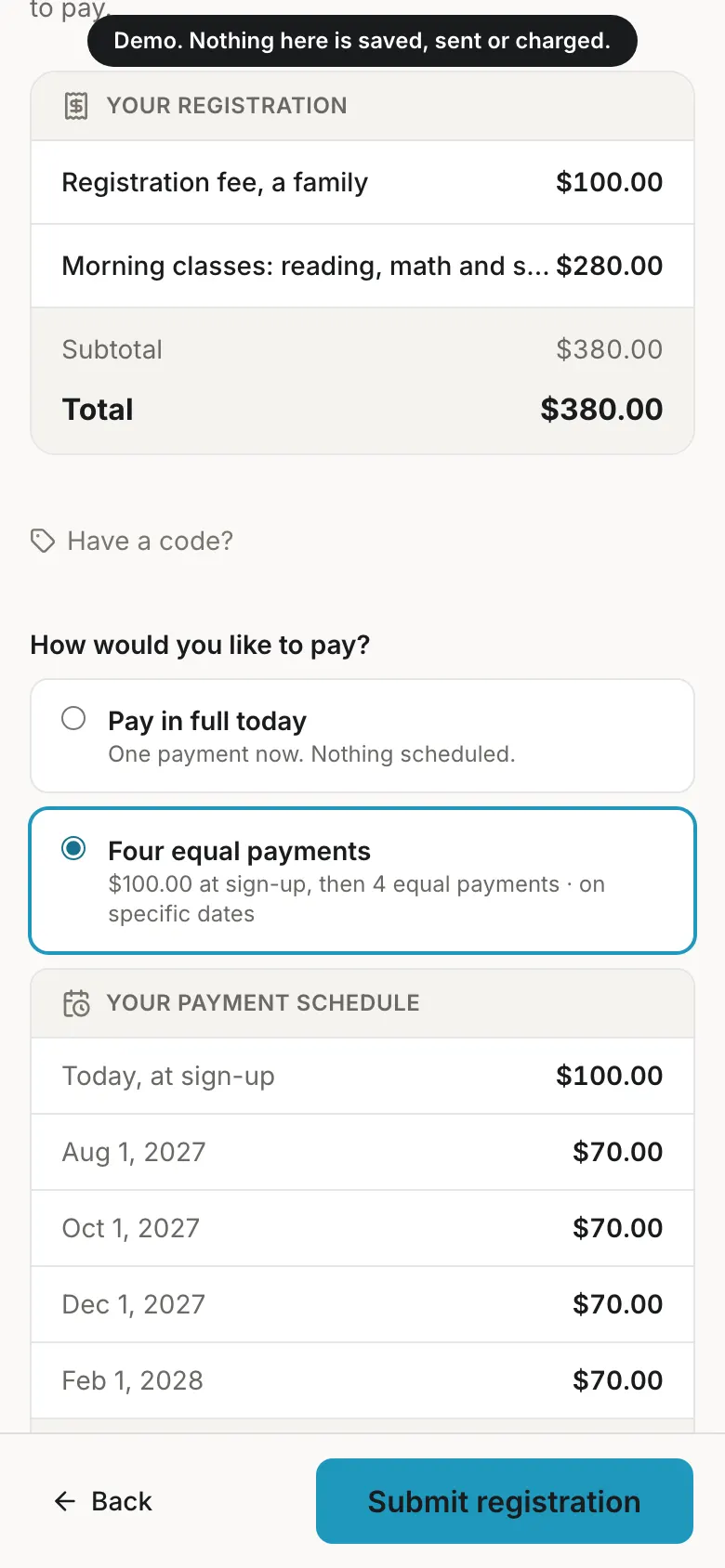
Families pay in full or in set payments on your dates, by card or bank. Each payment is charged on its date with a reminder 7, 3 and 1 day before, and the money goes straight to your co‑op's bank account.
Payment plans, fundraising and scholarships
Families can pay on a plan, and a fundraiser carries no platform fee. Give a scholarship with the reason and who approved it, and your treasurer sees it as a scholarship in the reports.
Parents sign up for their service slots
Teaching, assisting, lunch duty or clean-up: parents pick their slots in the app and get reminders. You see which slots are still open and who has served, and a family can pay to buy out its hours.
One calendar, one place for news
Every family sees class days and events on one calendar that syncs to their phone, and your messages reach every family in the app.
A website for your co-op
Free on every plan, made for phones, on your own web address if you have one.
See a family's sign-up
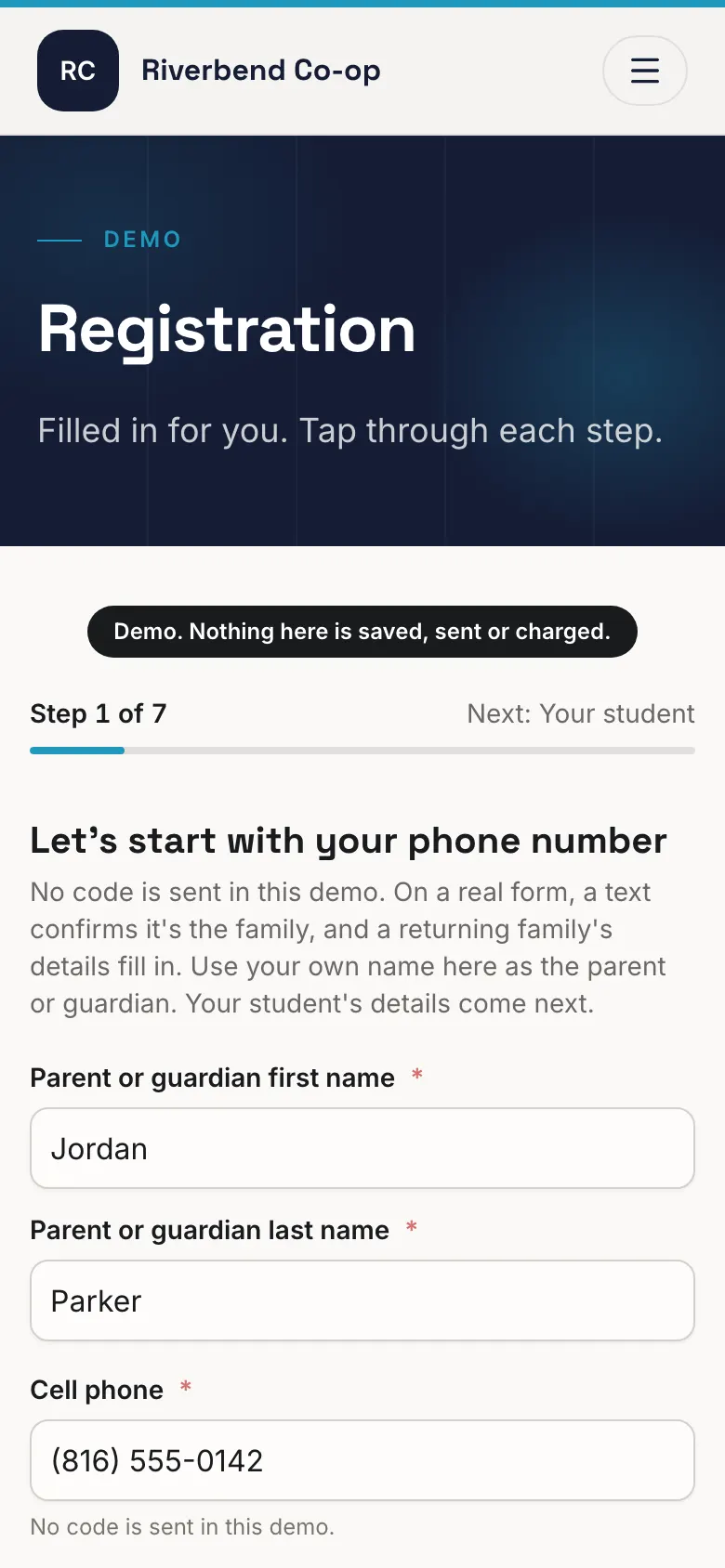
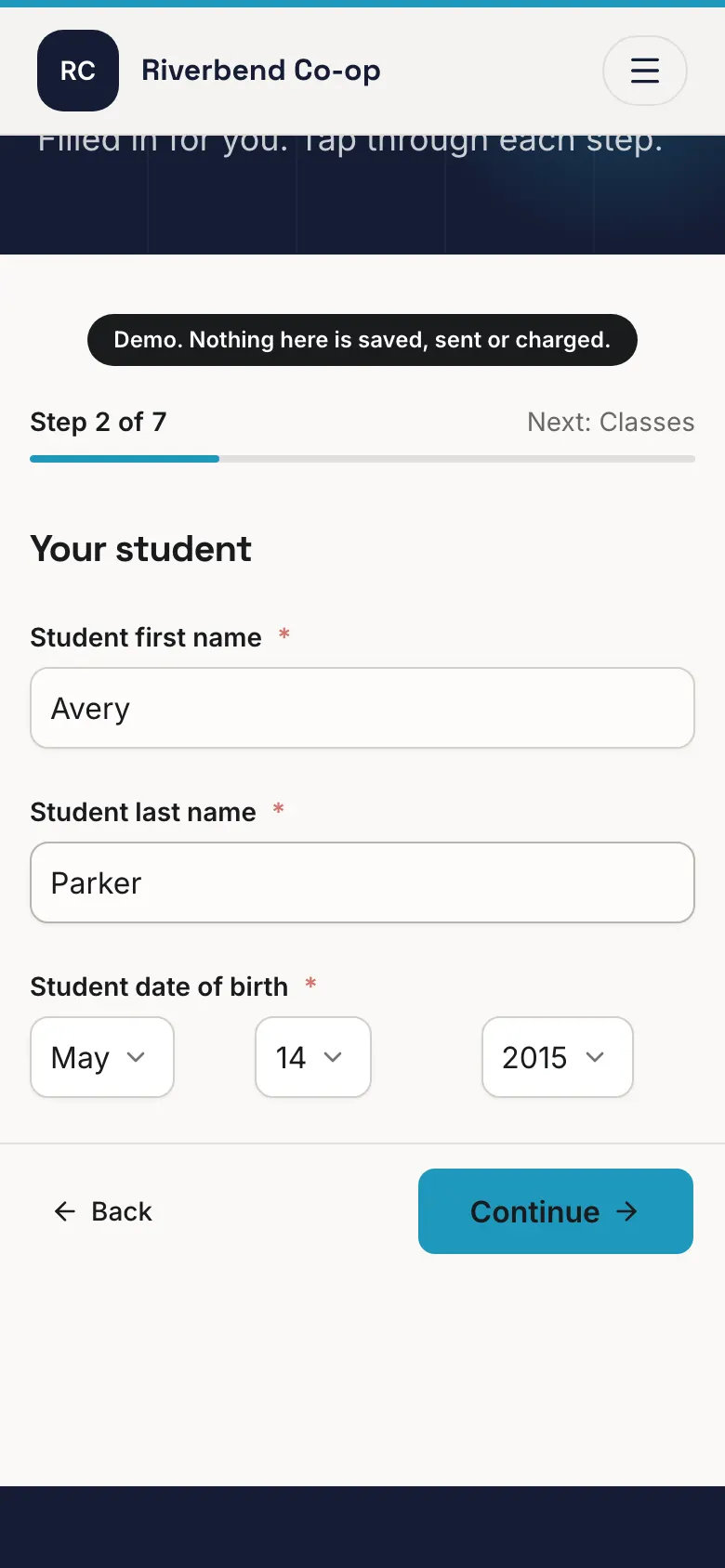
These are the screens a parent sees on a demo co-op's form. Tap through them the way a family would.
Step 1 of 6
A parent starts with their mobile number. If they have signed up before, their details fill in.
Moving your co-op to Team Scout is fast and easy.
Start free on your own, or we set it up with you: your groups, your first registration form and your Stripe account.
- 1
Create your co-op
Sign in with your mobile number and choose Homeschool co-op. It takes a few minutes.
- 2
Add your classes and fees
Build the sign-up form with each class, its price and its seats, and the payment dates you use.
- 3
Send families the link
Families register once. Their details fill in the next time they sign up.
What it costs
One plan covers registration, payments, the calendar, messages, parent sign‑ups and your website. Pay for the year, or month to month.
Team
Families register and pay online, and the money goes straight to your co‑op's bank account.
$348a year
$29 a month, paid for the year, or $39 month to month.
3.9% platform fee on what you collect
Club
Everything in Team, at a full point lower platform fee.
$948a year
$79 a month, paid for the year, or $105 month to month.
2.9% platform fee on what you collect
Includes Scotty
If you run a bigger program
League
Everything in Club, at our lowest platform fee.
$2,148a year
$179 a month for the year, or $239 month to month. 1.9% platform fee.
Includes Scotty
Starting is free, and we don't ask for a credit card.
Start your co-op freeThe platform fee is on what you collect and record through Team Scout. Fundraising stays 0 percent. Families can cover the card fee at checkout.
Not collecting money online yet? The calendar, messages, parent sign-ups and your website are free on the Community plan. Every plan and fee
Questions co-ops ask
- Is our families' information private?
- We don't sell your data. We respect your privacy. We don't put ads in your feed. Parents hold the account and add their own children.
- Can some things stay off our public website?
- Yes. An event can be for members only. It shows on your families' calendars and stays off your public site.
- Can we pay month to month?
- Yes. Every paid plan can be paid month to month or for the year, and the year costs less.
- Do families need the app?
- Families can register and pay from any phone or computer. The app is where they see the calendar, get your messages and sign up for service slots.
Start your co-op free.
Create the co-op, add your classes and invite families with a link.
Start your co-op free