Grow & collect
From $29 a monthTeam Scout auction alerts
Schools, clubs and youth sports programs run silent auctions on Team Scout. A bidder can choose to get text alerts from Team Scout about their own bids: when they are outbid, when an item they bid on is closing, when they win, and if their payment does not go through.
Texts go only to bidders who tick the box below. Bidding never requires it, and no marketing or promotional texts are sent.
How a bidder opts in
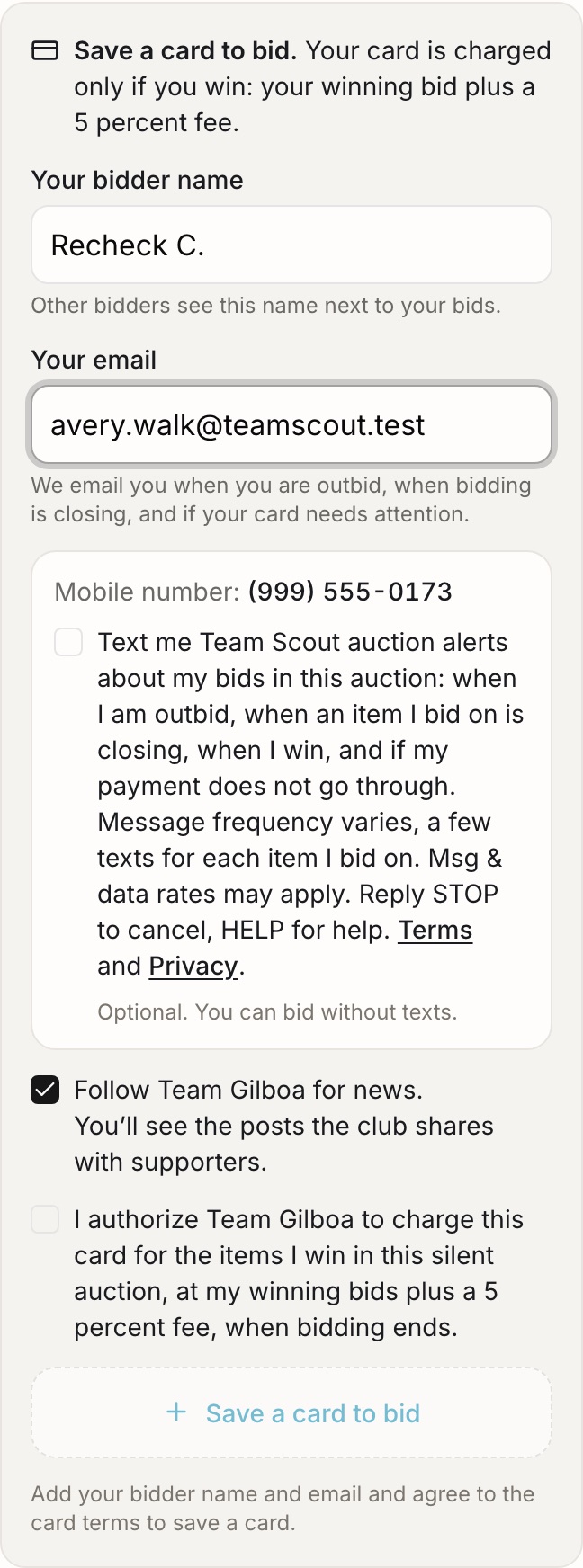
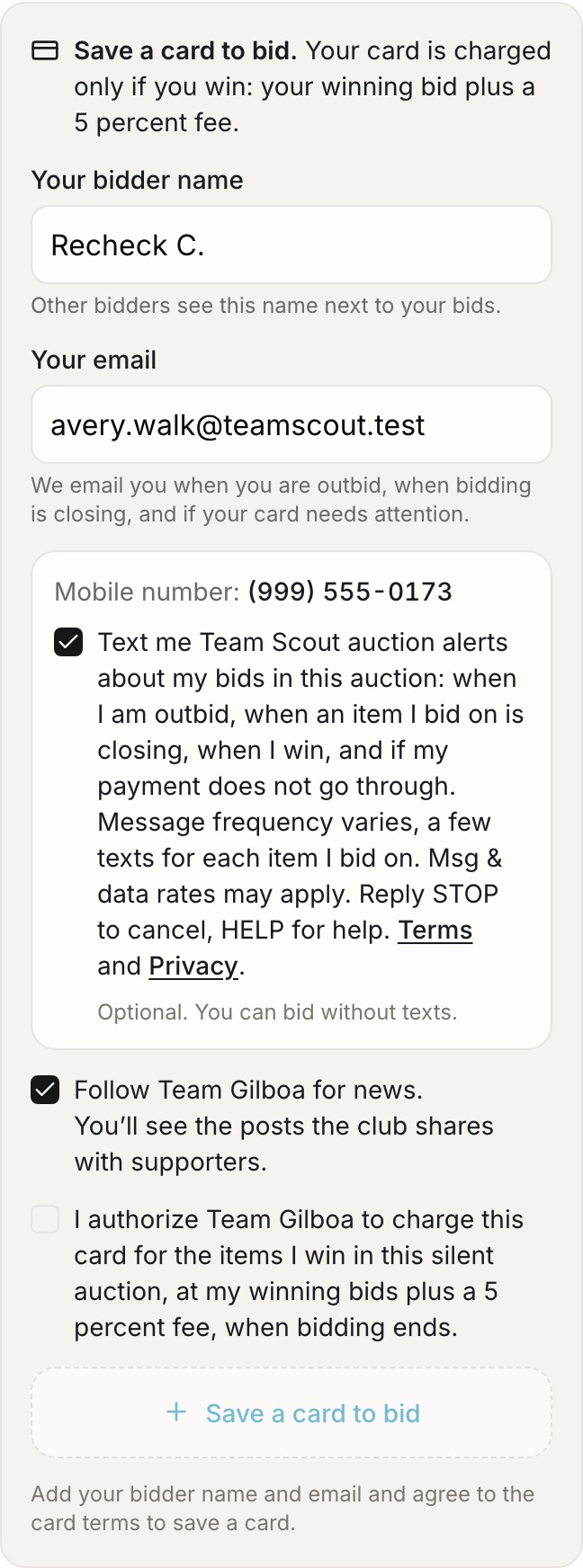
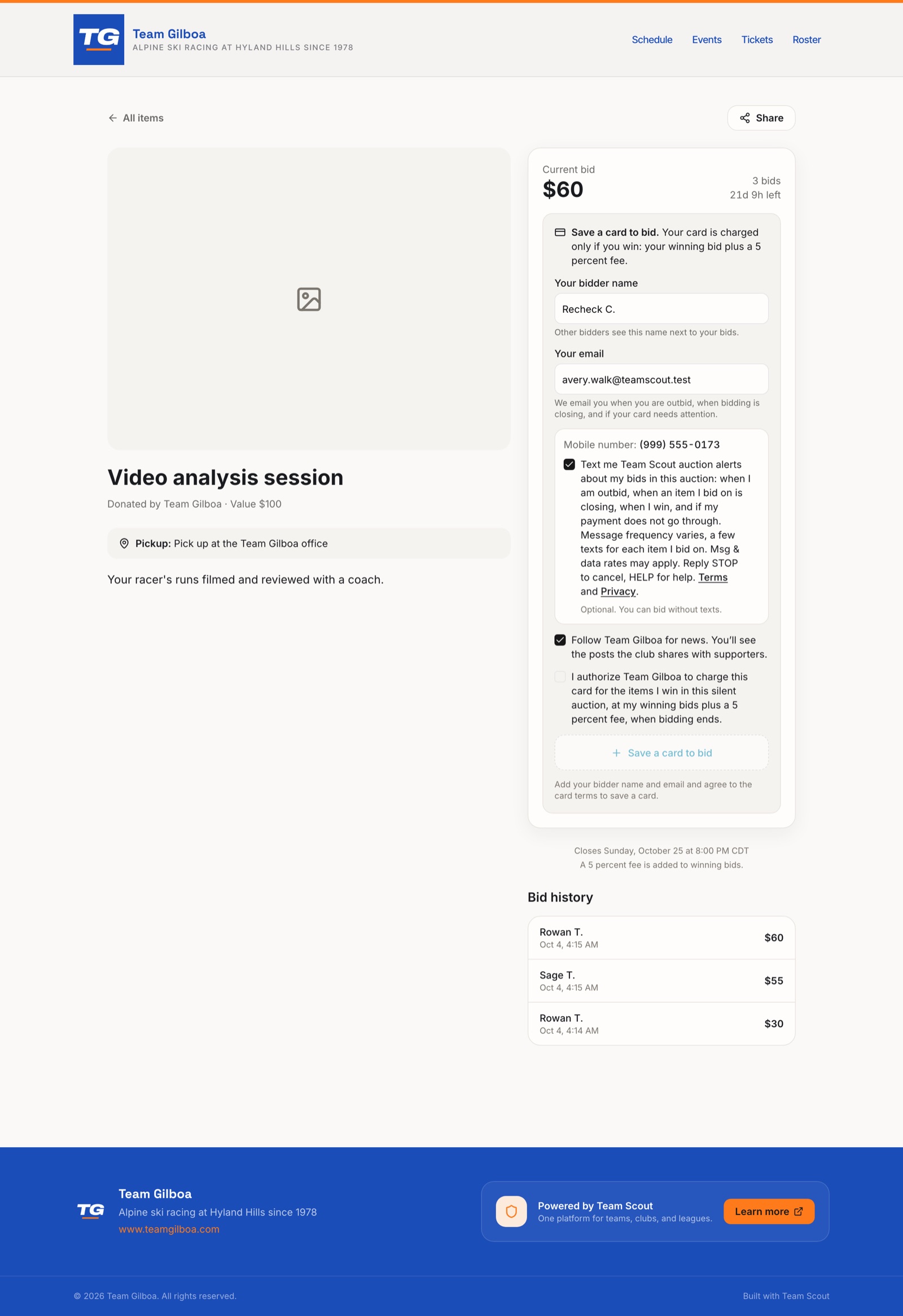
A bidder signs in on app.teamscout.co with their own mobile number, confirmed by a one-time code. At the bidder registration step of the program's auction, Team Scout shows that number and one checkbox. The box is not ticked by default, it is optional, and it is separate from the card authorization and from any other agreement. This is the checkbox and its label, word for word:
Mobile number: (555) 555-0123
Optional. You can bid without texts.
The example number above stands in for the bidder's own number, which the step shows in its place.
What the texts are
- The type of messages: Team Scout auction alerts about the bidder's own bids in that auction, sent when they are outbid, when an item they bid on is closing, when they win, and if their payment does not go through. Each text names the program running the auction and is signed Team Scout.
- Message frequency varies, a few texts for each item I bid on.
- Msg & data rates may apply.
- Reply STOP to cancel, HELP for help. Help is also at support@teamscout.co. Unticking the box on the bidder step also stops the texts.
- Team Scout records who agreed, when, the number and the exact wording shown. Mobile numbers and opt-in data are never sold or shared with third parties or affiliates for marketing or promotional purposes. See the terms of service and the privacy policy.
The confirmation text
After a bidder ticks the box and saves, they receive one confirmation text:
Team Scout auction alerts: on for your bids in this auction. Msg frequency varies. Msg & data rates may apply. Reply HELP for help, STOP to stop.
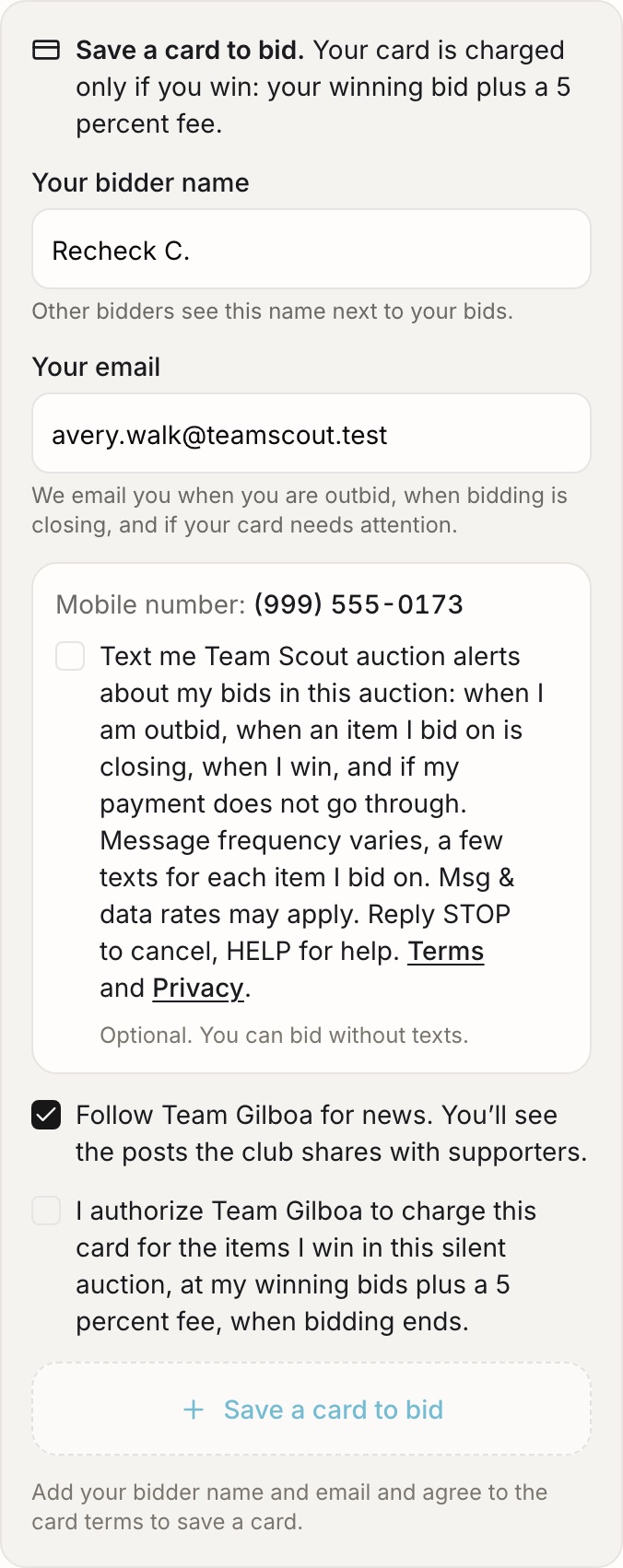
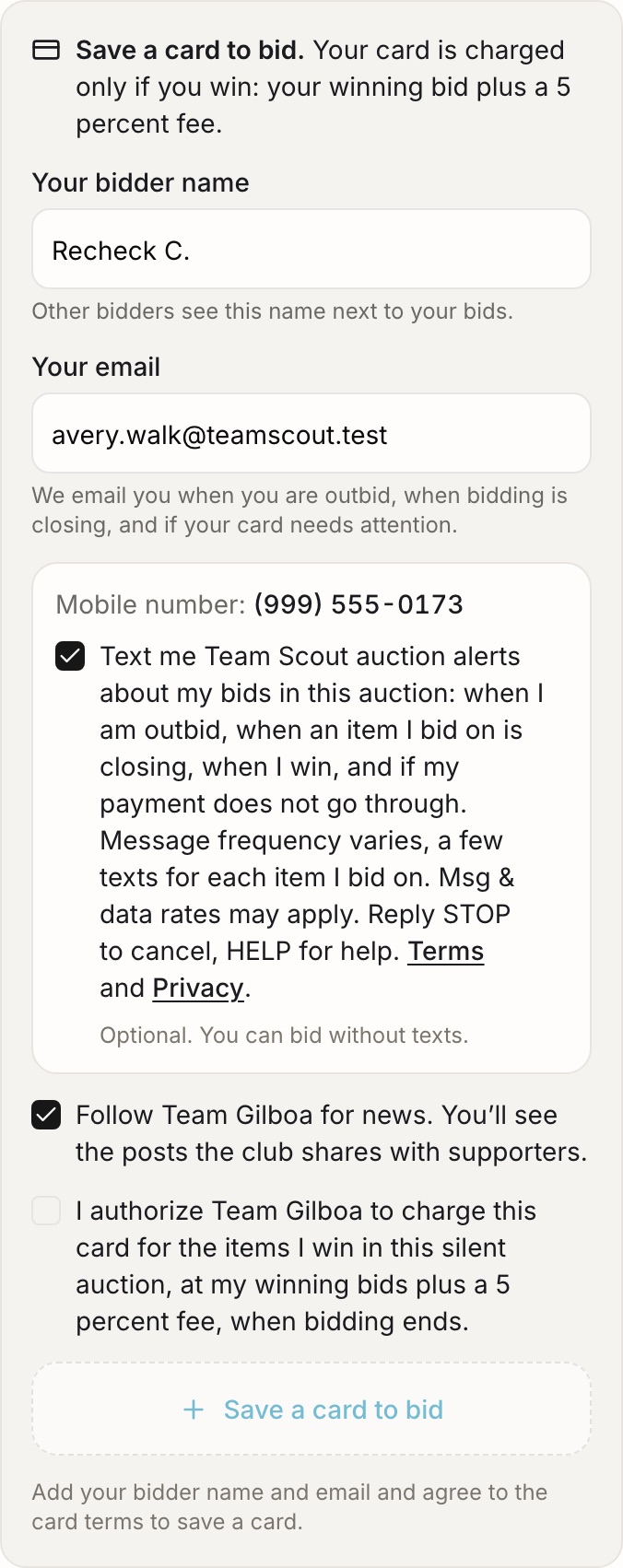
Screenshots of the registration step
The bidder registration step is behind sign-in, so these are screenshots of it: the box unticked, the box ticked, and the page around it. The number shown is a test number.