Grow & collect
From $29 a monthWhy registration comes firstThe deeper look
Registration is the foundation.
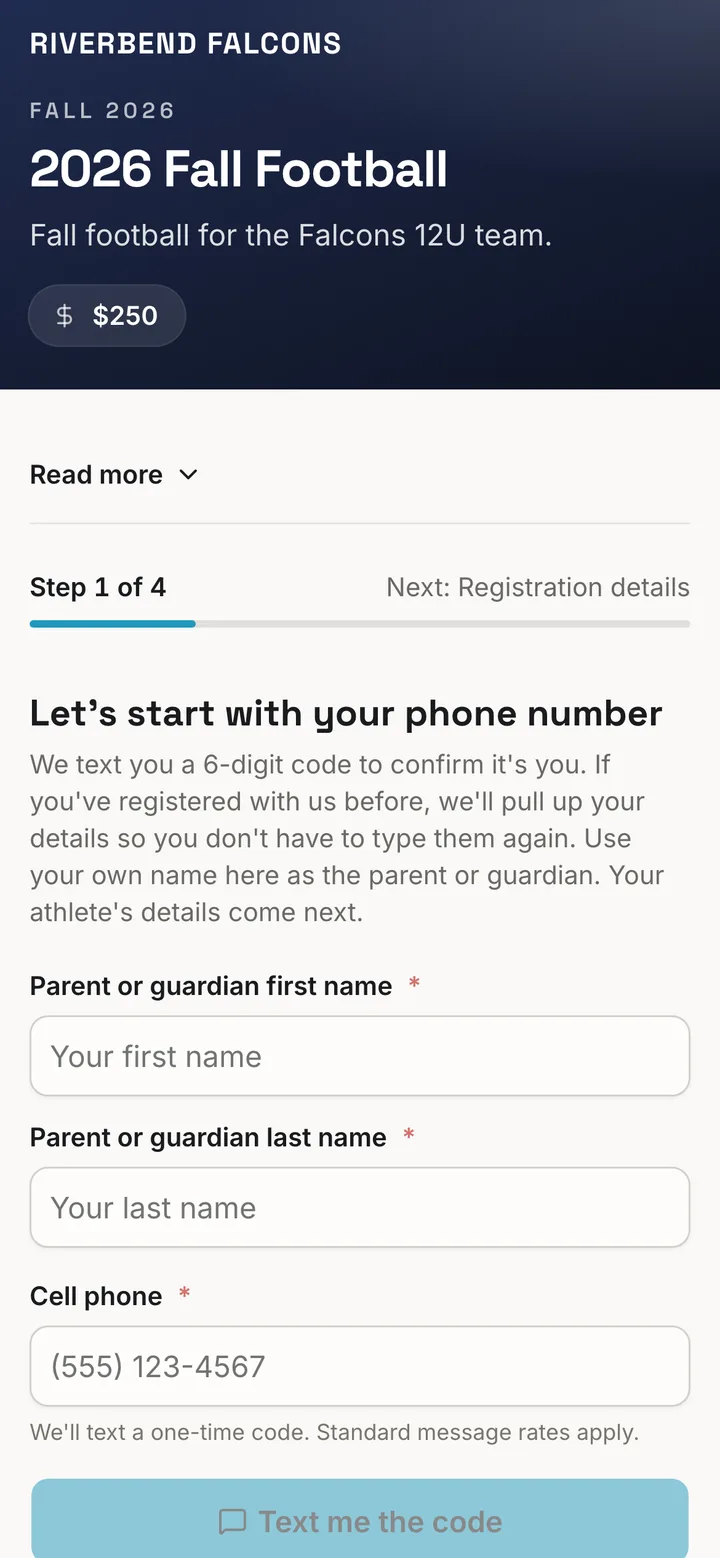
One sign-up tells your program who a family is. Team Scout keeps that in one family record, so a returning parent finds it filled in and your office never keeps a second list.
Registration is where the money moves, so every platform wants it. We do too. It is also the moment a parent tells you who their child is, who the adults are, and what you may do for their child. Get that right once and the season runs on it.
01Households
The household builds itself at sign-up.
Your office gets every household without building one by hand. The parent who registers is tied to the child as a guardian, a second parent goes on the same form, and brothers and sisters land together.
Athletes go on the roster. Parents join the group.
A paid registration places the athlete on the roster and the family in the group, so a parent never shows up as a player.

02One record for each person
Asked once, then already filled in.
Each parent and each child has one record. The next form opens with it filled in: address, grade, school, shirt size, emergency contacts, health answers and insurance.
A returning parent picks their child.
The form shows the children it knows and fills in the one they choose.
A changed answer asks one question.
"Update the family record" or "Just this registration".
The family can see and change what is held.
Under their profile, on the web and in the app. We don't sell your data. We respect your privacy. We don't put ads in your feed.
Everything they agreed to is in one place.
A parent opens your organization in the app and finds every registration they have made, with what they answered and what they signed.
03Health answers and releases
A coach knows what a parent allowed.
The questions a parent answers at sign-up are the ones a coach needs on a road trip. They are asked once and kept with the child's record.
Which medicines are fine.
The parent ticks each over-the-counter medicine a coach may give, one by one.
Emergency treatment consent.
The emergency medical and insurance consent is signed on the form, with the signer's name and the date.
The physical, once.
A family uploads a physical on one form. The next form says "Already on file" and asks for nothing.
Ready for game day.
Coaches get a game-day card for the roster. The office gets a summary to put in the travel binder.
04Rosters, groups, attendance, email
The right people, with no list to keep.
You link a form to its groups once. From then on, who registered decides who is on the roster, who is in the group and who gets the email.
Rosters fill as families pay.
The athlete goes on the roster of the group the form names.
Coaches take attendance from that roster.
The names are ready in the app when practice starts.
Email reaches a group, a form or a role.
Everyone on a form, or only the paid entries. The list is worked out again when the email sends.

05Volunteers, credits and buyouts
Every family sees its share.
You set how much help each player's family owes for the season. Because the household is already known, the hours count for the right family, whoever works the shift.
Credits pool to the family.
Mom works the gate and Grandma brings the meal. Both count toward the same player.
Each job carries a value.
A family sees how close it is to the season's requirement and which jobs still get it there.
A buyout counts too.
A family can give money in place of a shift. It counts toward the same requirement and lands on the same books.
Swaps follow the work.
A parent hands a shift to another family. The credit goes to whoever does the job.

06Fundraising, sponsorships, scholarships, refunds
Money that knows whose it is.
Every dollar a family raises, earns or gets back is tied to a player the program already knows.
Sales are credited to the player.
A player sells a program ad or brings in a donation, and the credit goes to that player.
Sponsors order on one link.
You set the ad sizes, the tiers and the prices. A business orders and pays on a public page.
A scholarship reads as one.
It is recorded with its reason and who approved it, and reported as a scholarship. It never shows as an unpaid balance.
Part back, part as credit.
One screen splits a refund: some to the card, some as credit on the family's account, the rest left as paid.
07The family account
Every family has an account.
Search a name and open the family: the parents, the players, and every registration, purchase, credit, refund and payment between that family and your program.
One statement, both sides.
The statement your office opens is the statement the family reads, so a phone call about a balance starts from the same page.

08The ledger and your books
Your treasurer sees books that balance.
Every dollar is recorded twice: once where it came from and once where it went. Debits equal credits, the trial balance says so in one line, and every report is built on those books.
Deposits are broken out.
Each bank deposit opens into the payments inside it, by month and by category.
Ready for QuickBooks.
Each deposit downloads as journal lines, debits equal to credits, for your bookkeeper.
Cash and checks count.
Record a check against a registration and it lands on the family's statement and the books.

09Your assistant
An assistant that knows your families.
An assistant is only as good as what it can read. Because your program lives in one record, ours reads what an admin reads and does what an admin does.
Ask Scout, in the app.
Ask how many registrations are in or which volunteer slots are open, and it answers from your own records. Ask about money and it opens the report that holds the figure. Each person sees only what they are allowed to see.
Scotty, your assistant by text.
On the League plan, one named administrator texts Scotty the work and it gets done: games on the calendar, a ticket set up, the website changed, a check recorded, an email written and sent when you say so.
How Team Scout is paid
Registration is how Team Scout is paid.
Your plan carries a platform fee on the payments you collect and record through Team Scout. That fee is the main way Team Scout is paid, and it is how your program gets everything on this page: the family record, the rosters, the email center, the volunteer credits, the books and the assistant. Card and bank processing are passed through. Fundraising carries no platform fee.
See the plans and the platform feeKeep the website you love
Your Register button opens your Team Scout form.
Everything on this page runs behind it. The Community plan is free: set up groups, the schedule and volunteers today, and turn on registration and payments when you're ready.